
Connecting a Custom Domain
Point your own domain (e.g. www.youragency.com) to your Redsun site.
Navigate to domain settings
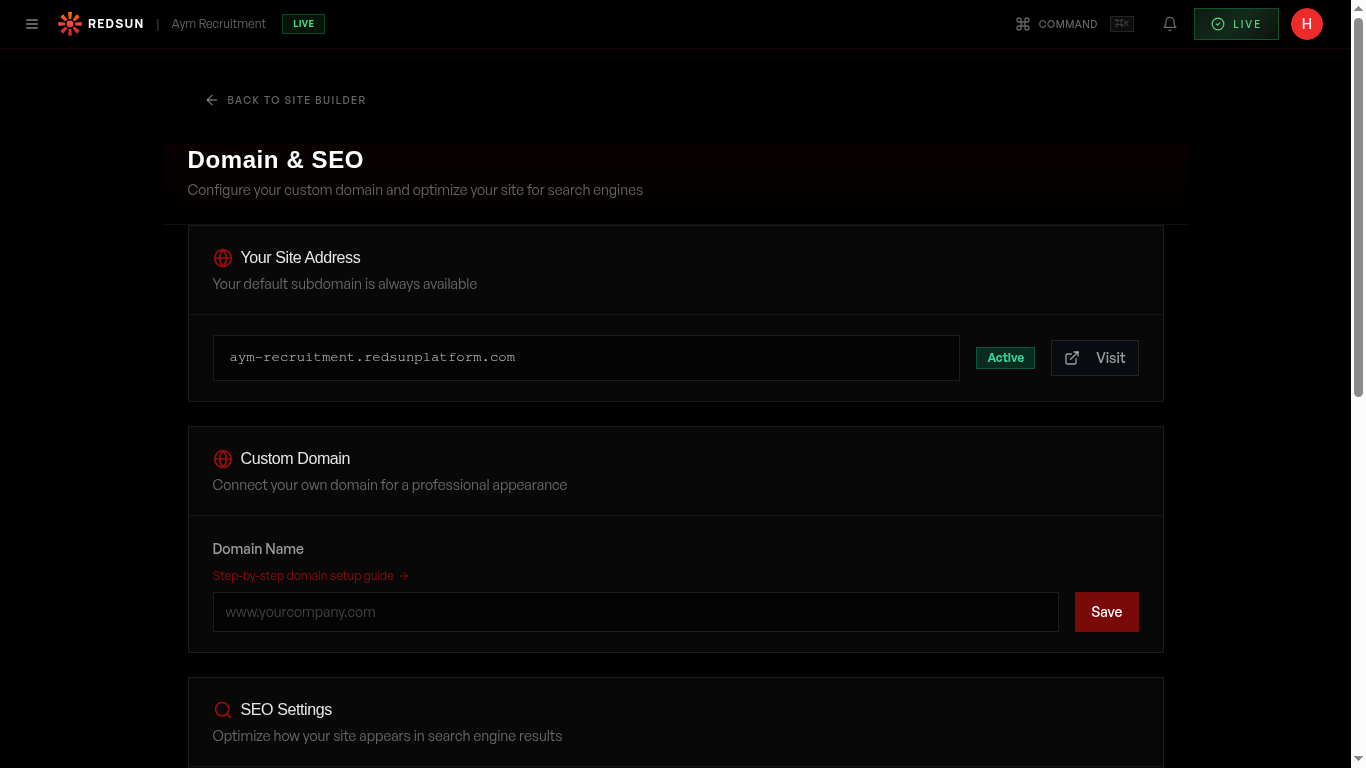
Go to **Settings** → **Domain**. **Your Site Address** shows the Redsun subdomain you were given, which stays available whatever else you connect. Below it, **Custom Domain** is where you connect your own.
Domain settingsEnter your domain
Type your domain into the field, in the form `www.yourcompany.com`. Saving registers it with Cloudflare and moves the status to **Waiting for DNS**.
Update your DNS records
Redsun shows the record to add at your registrar — GoDaddy, Cloudflare, Namecheap, or wherever your DNS is hosted: • A **CNAME** for `www` pointing to `sites.redsunplatform.com` While the SSL certificate is being issued, a **TXT** record is also shown. Add that one too — the certificate will not complete without it. The page includes registrar-specific notes for handling the root domain without `www`.
DNS changes can take up to 48 hours to propagate, but most complete within 1–2 hours. Don't panic if it doesn't work immediately.
Verify and activate
Redsun polls for the records rather than making you click anything. The status badge moves from **Waiting for DNS** to **Provisioning SSL** once DNS resolves, then to **Active** when the certificate is issued — usually one to five minutes after that.
SSL certificate
The SSL certificate for your custom domain is issued and renewed automatically by Cloudflare. Your site is served over HTTPS with nothing further to configure.
Redirect settings
Your Redsun subdomain stays available alongside your custom domain — **Your Site Address** at the top of the page always shows it. For the root domain without `www`, the Custom Domain card gives registrar-specific instructions for GoDaddy, Namecheap and Cloudflare.
Guide complete
You've covered all 6 steps. Check out the related guides below.
Still need help?
Our support team is here to assist you.