
Domain & SEO Settings
Configure meta titles, descriptions, and sitemap for search engines.
Access SEO settings
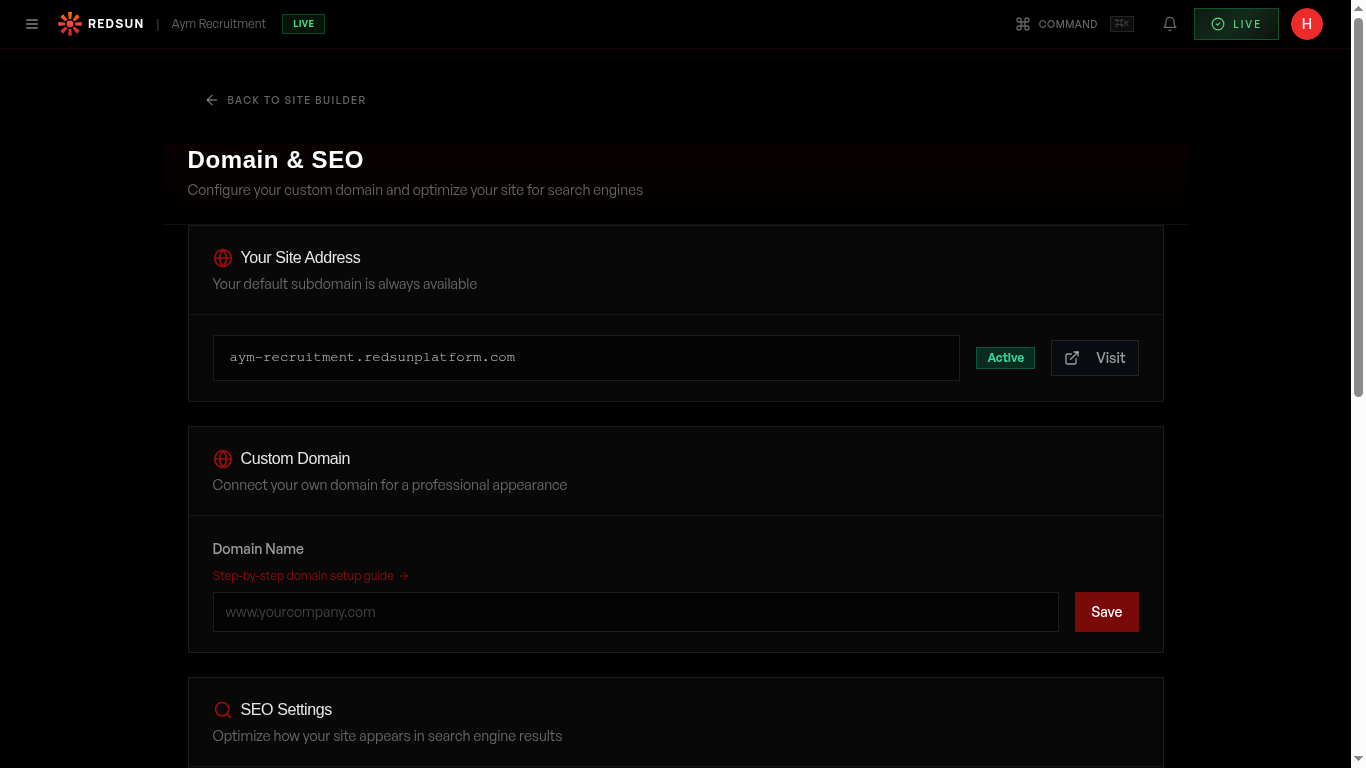
Site-wide defaults live under **Settings** → **Domain**, in the **SEO Settings** card at the bottom: a title template, a default description, and a field for your Google site-verification token. Per-page titles and descriptions are edited on the page itself in the **Site** hub.
Domain settingsSet page meta titles
Write a unique meta title for each page (under 60 characters). Include your primary keyword and brand name. Example: 'Engineering Recruitment London | YourAgency'.
Write meta descriptions
Write compelling meta descriptions (under 160 characters) for each page. These appear in search results and influence click-through rates.
Sitemap
Redsun automatically generates and maintains your sitemap.xml. It's updated every time you publish and submitted to search engines.
Social sharing
Configure Open Graph tags for social media sharing. Set a default share image and description that appear when someone shares your URL.
Per-page SEO Panel (in builder)
Every page carries its own SEO title and meta description, edited from the page's SEO settings in the **Site** hub. Character counters and a search-result preview show how the entry will read in Google before you publish it.
The SERP preview catches truncation issues at edit-time. If your title is being cut off in the preview, it'll be cut off in Google too.
Per-page OG images
Each page gets its own branded social-share image, rendered server-side and cached at the edge, carrying your brand colours and the page title. Sharing an article link shows that article's image rather than a generic homepage thumbnail.
Google Analytics — automatic injection
Once you save your GA4 Measurement ID (the one starting with G-), Redsun's edge worker injects the tracking script into every page of your site automatically, including sector pages and well pages. There is no code to paste, and it survives redeploys.
Bot traffic is filtered out before events reach GA4 via User-Agent detection and referrer-spam blocking. Your numbers will look smaller (and more accurate) than tools without filtering.
Guide complete
You've covered all 8 steps. Check out the related guides below.
Still need help?
Our support team is here to assist you.