
Results Sections Reference
All 24 results section types across candidate and employer wells.
Candidate sections (12 types)
**AI-drafted from the CV and market data:** • Market Position — where the candidate sits against the market • Career Path — likely next roles and progression • Salary Leverage — pay position and direction of travel • Risk Signals — career risks and market headwinds • Market Demand — hiring demand for their profile • Matched Roles — open roles from your own data **CRM-powered (need matching records):** • Peer Comparison — pay against peers in the same role • Skill Trends — their skills against live job requirements • Location Demand — where the opportunity is • Move Timing — when the market favours a move • Seniority Map — how the seniority ladder is distributed • Sector Health — indicators for their industry
Employer sections (12 types)
**AI-drafted from the role and market data:** • Role Appeal — how attractive the role is to the market • Hiring Timeline — realistic time to fill • Talent Supply — pool size and quality • Spec Score — how clear the job spec is • Hiring Risks — market risk signals • Action Plan — prioritised next steps **CRM-powered (need matching records):** • Salary Range — the offer against market rates • Pool Depth — availability by seniority • Competitive Pressure — competing roles • Retention Risk — tenure and flight risk • Spec Improvements — specific edits to the job spec • Sector Health — industry hiring trends **Employer-only:** the **Premium Gate** capture form sits mid-page between the free and premium sections.
Display variants
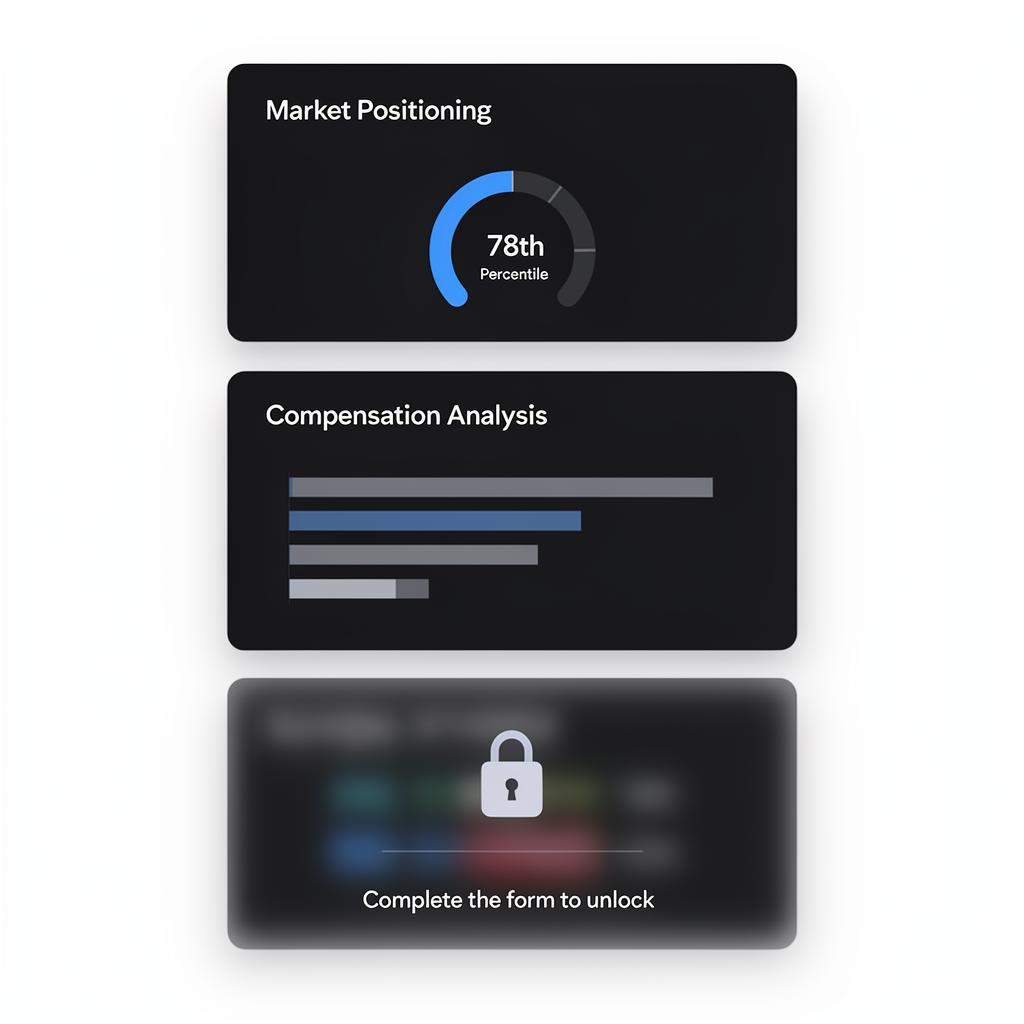
Every results section ships several display treatments: a rich visualisation (ring gauges, bar charts, trend lines, heat grids), an alternative renderer for the same data, and a compact key-value list. Switch between them with the variant arrows under **Layout** in the site editor. Rendering follows your theme, so the same section looks different on Atrium than on Boombox.
Content gating
**Candidate journey:** individual sections can be gated. Blurred content unlocks when the CV form is completed. There is no separate gate form. **Employer journey:** the **Premium Gate** section is a mid-page capture barrier, with per-section gating available for finer control. **Strategy:** show three to five sections free, then gate the most compelling data.
Lead with your best insights ungated. Visitors need to see value before they'll unlock the rest.
Guide complete
You've covered all 4 steps. Check out the related guides below.
Still need help?
Our support team is here to assist you.